More than two panels
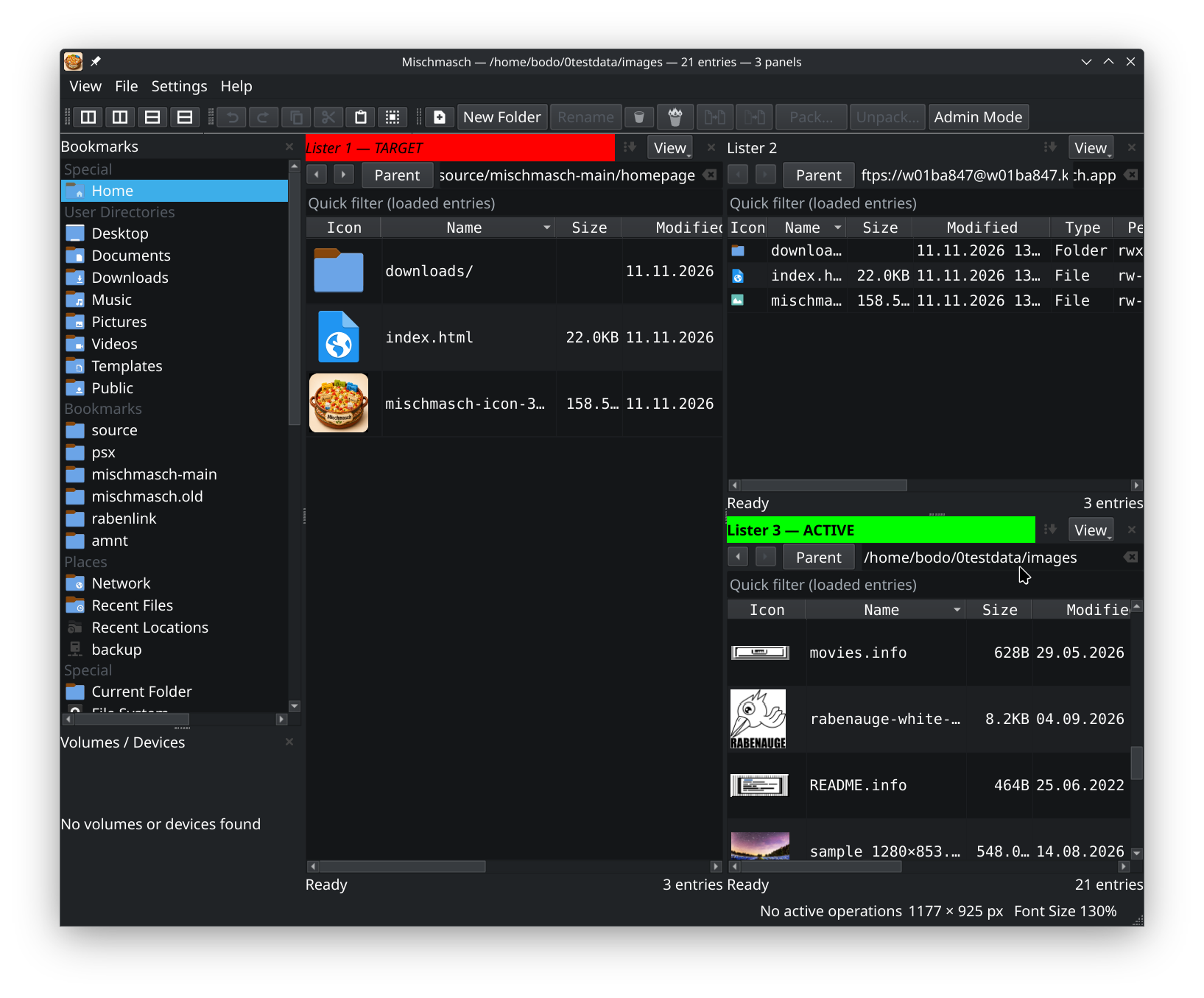
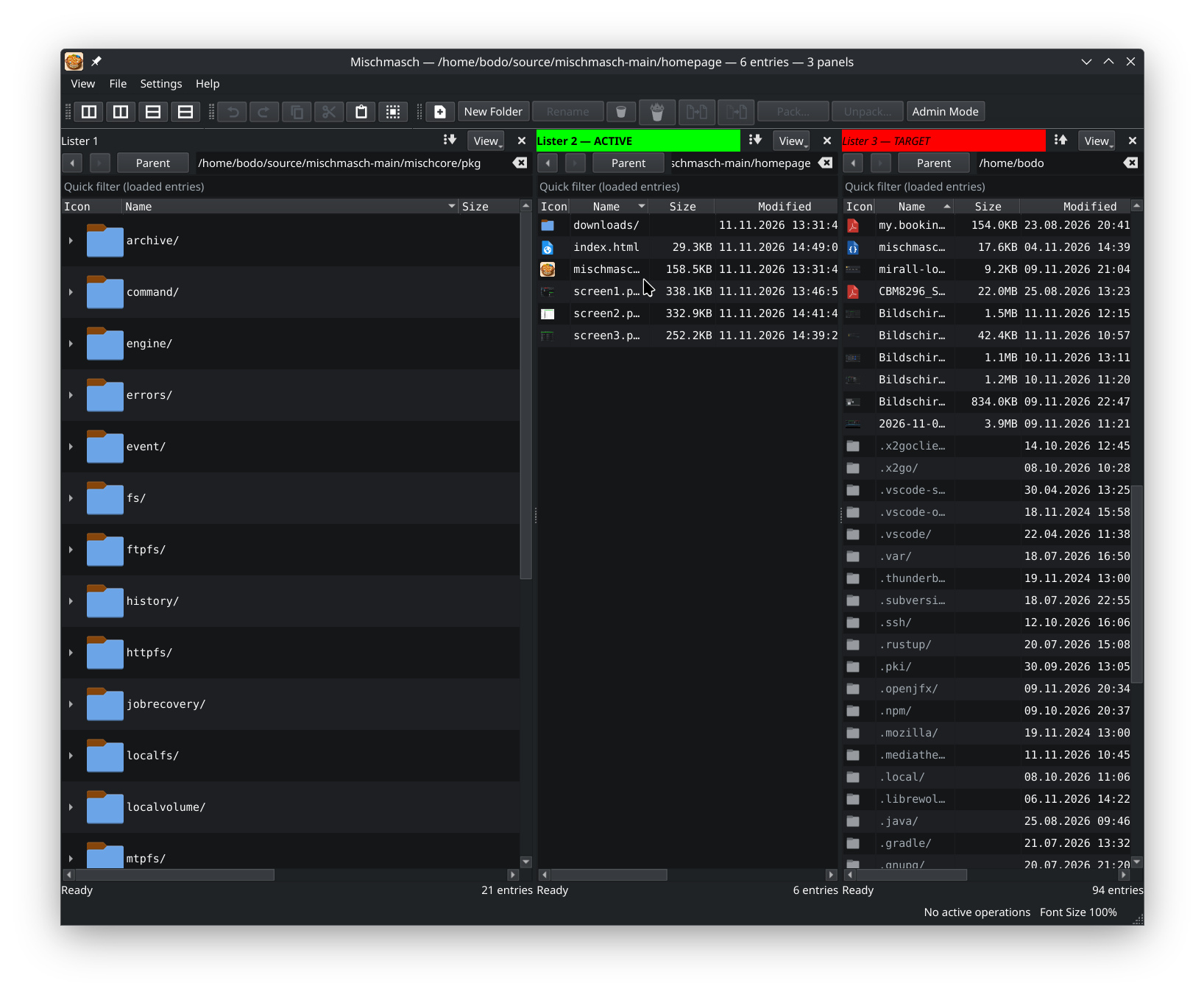
Split your workspace horizontally or vertically, rearrange file panels, and keep several folders in view.
Multi-panel file manager for Linux
Your files. Your layout.
Keep multiple folders in view, work with local and remote files, and arrange your workspace around the way you work.
Linux is the main version.
A FreeBSD version is also available. macOS is in development.
Qt 6 / MIQT · under active development

See Mischmasch in action
Split your workspace horizontally or vertically. Keep the folders you need side by side.
Behind the name
Мишмаш (Mischmasch in German) is a Bulgarian dish that brings different ingredients together into something surprisingly delicious. It was clearly only a matter of time before someone named a file manager after a meal.
Mischmasch is an independent file manager inspired by Directory Opus. It combines flexible multi-panel layouts, fast mouse selection, and extensive customization in a workspace that fits the way you work.
Open several folders in one workspace, split and rearrange your file panels, and choose where your operations go. Compare filename encodings, preview images, video, and audio, and keep track of background operations while you continue browsing.
Contributions are very welcome. Bug reports, ideas, feedback, documentation, translations, design suggestions, and code contributions can all help make Mischmasch better. If you find a problem or want to explore a new file-management idea, please open an issue or contribute on GitLab.
Mischmasch is dedicated to Galina.
Made for real file work
Arrange your folders, search across files, and follow ongoing operations from one flexible workspace.
Split your workspace horizontally or vertically, rearrange file panels, and keep several folders in view.
Inspired by Directory Opus on the Amiga: toggle files with a click or select multiple entries by dragging across rows.
Create your own toolbars and customize menus, columns, fonts, and interaction profiles.
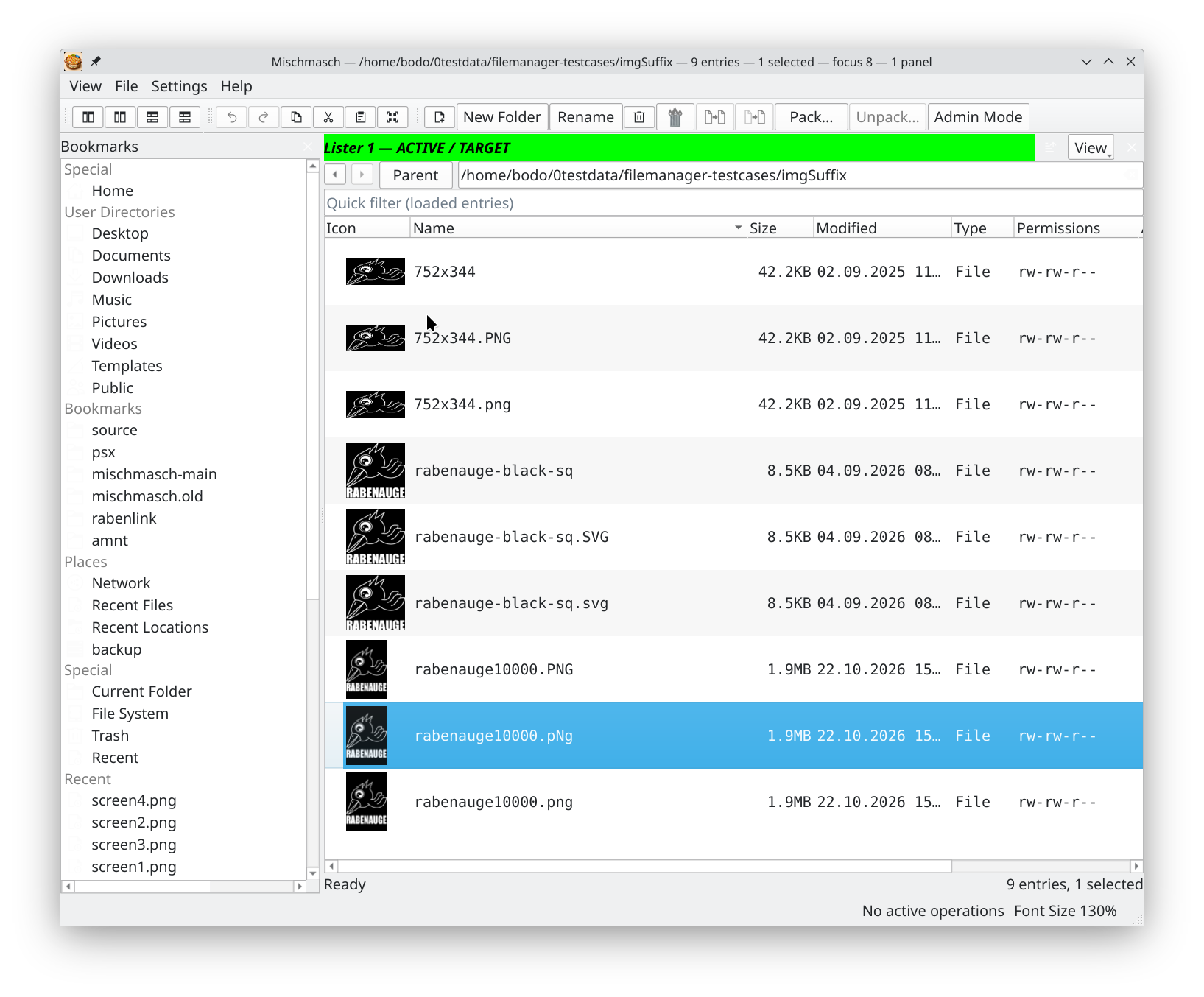
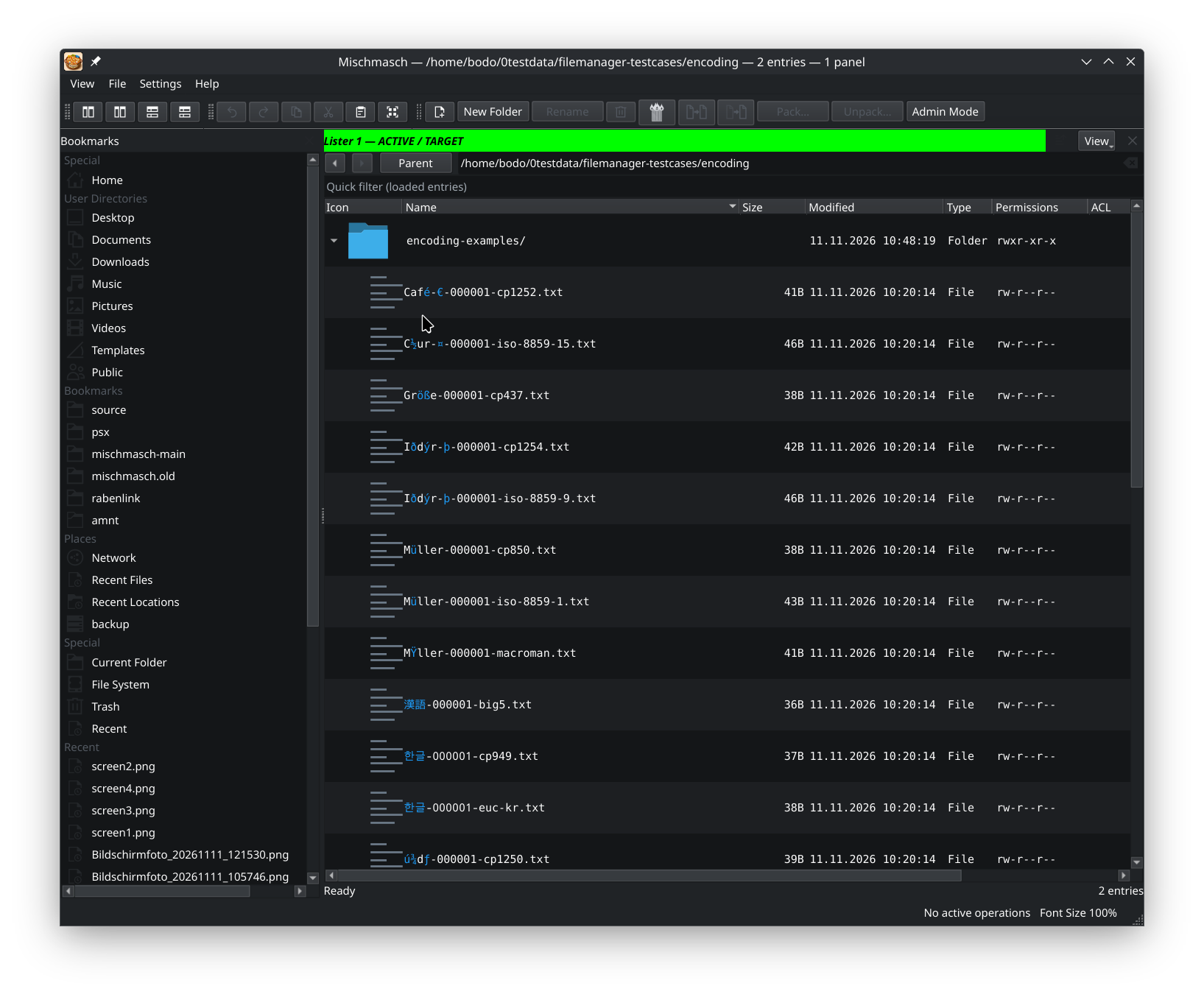
Compare different filename encodings in one view and choose how names are displayed.
Preview images and video, with support for image formats such as PNG, JPEG, SVG, WebP, HEIC, and JPEG XL — alongside classics like IFF/ILBM.
Open a selection of photos in the optional Picture Viewer plugin to zoom in or browse in full screen.
Preview audio files directly in Mischmasch, with playback and volume controls.
Run multiple file operations in the background, follow their progress, and pause or cancel supported operations while you continue browsing.
Work with local files, network storage, archives, and portable devices.
Search recursively by name or content, find duplicate files, and cancel long-running searches.
Current development builds
These builds are under active development and are not release-certified yet.
Version 0.5.7 · Linux amd64
16.8 MiB · Built
Minimum system: Debian 13 / MX Linux 25 (amd64). Install with your package manager to resolve dependencies. Exact Qt private ABI: 6.8.2. This DEB does not support Debian 12 / MX Linux 23.
libc6 (>= 2.35), libgcc-s1 (>= 12), libheif1 (>= 1.20.0), libjpeg62-turbo (>= 1.3.1), libmagic1t64 (>= 5.12), libpng16-16t64 (>= 1.6.46), libqt6core6t64 (>= 6.8.2), libqt6gui6 (>= 6.8.2), libqt6multimedia6 (>= 6.7.2), libqt6multimediawidgets6 (>= 6.6.1), libqt6waylandclient6 (>= 6.6.0), libqt6widgets6 (>= 6.8.2), libstdc++6 (>= 5), libxcb1, qt6-base-private-abi (= 6.8.2), qt6-waylandclient-private-abi (= 6.8.2), libheif-plugin-libde265
Version 0.5.7 · Linux amd64
71.4 MiB · Built
Minimum system:
Debian 12 / MX Linux 23 (amd64),
glibc 2.36. Qt is included.
Make the file executable before running. Use a working
FUSE setup
or launch with --appimage-extract-and-run.
External plugins have additional system requirements.
Version 0.5.7 · Linux amd64
17.3 MiB · Built
Version 0.5.7 · FreeBSD amd64
63.0 MiB · Built
FreeBSD/amd64 binary. Requires FreeBSD 14.4 and the Qt 6 runtime
(pkg install qt6-base qt6-svg). After downloading, make the file executable
with chmod +x mischmasch-freebsd-amd64-small-2026-11-25-259341cb404b3089.
Version 0.1.0 · Linux amd64
7.1 MiB · Built
Browse selected pictures with the arrow keys, zoom with the mouse wheel and press F11 for full screen.
Install Mischmasch (for example, from the DEB package) before opening this plugin. The viewer uses the system Qt Widgets runtime (built with Qt 6.8.2) and glibc 2.35 or newer.
Extract the ZIP and run Start Mischmasch.sh from the extracted folder. This starts a session with plugin sandboxing disabled. In Settings → Plugins, select Picture Viewer and choose Trust and Enable. Close Mischmasch and use the same launcher again.
Select pictures in a file panel and choose Extensions → Open in Picture Viewer.
Linux is the primary platform. Mischmasch is under active development and not release-certified, so keep backups of important files and verify package provenance before installing a build.